 Bloodmark
Stay on the blood trail.
Bloodmark marks every spot you find, picks blood-colored patches out of the leaves through your camera, and points you back to the trail when you return.
Version 0.1.0-beta9 · 11.6 MB · Android 8 or later with Google Play Services for AR. No account needed.
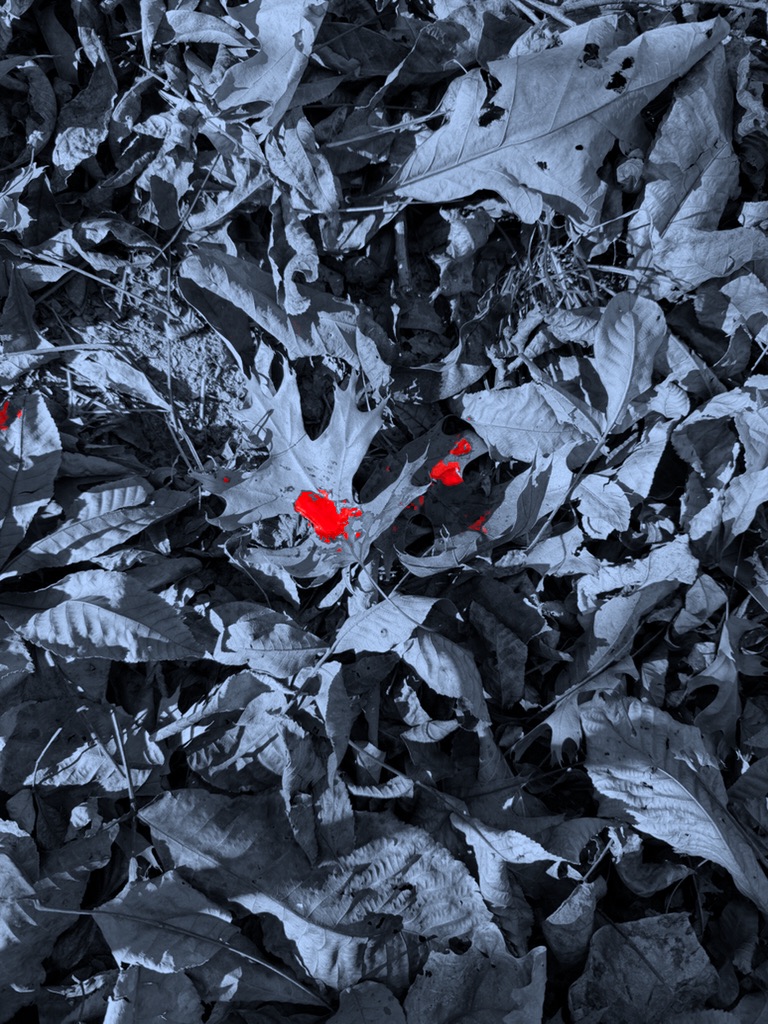 Possible blood
Blood finder
Pick blood out of the leaf litter.
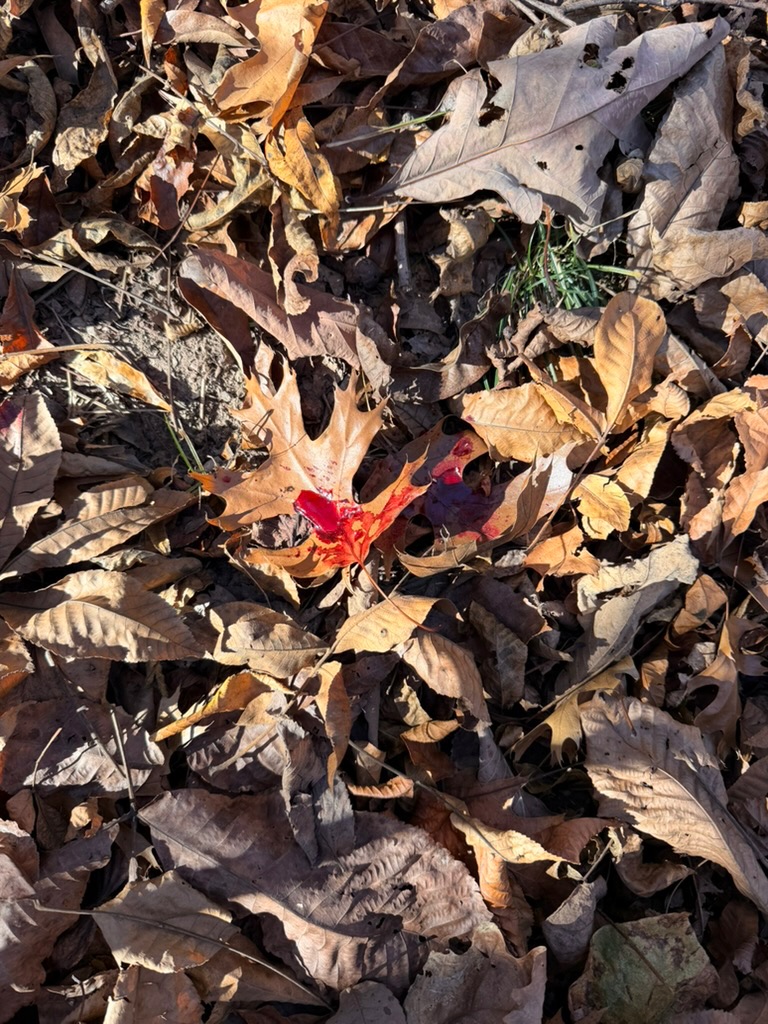
Fallen leaves are tan and orange. Blood is a different red. Bloodmark highlights that difference, so a stain the size of a coin stands out in a carpet of leaves.
- Normal, Red and Contrast views. Switch between them and adjust Sensitivity for the light you have.
- A clear alert. When a blood-colored patch stays in view, it gets a ring and the screen edge pulses red. One button turns the alert off.
- Flashlight built in. Turn on your phone’s light from the same screen after dark.
Bloodmark works from color. It cannot confirm blood: it may flag some purple leaves and miss dried or sunlit blood. Treat every highlight as a place to look.
Mark the trail
Mark each spot as you find it.
Point your camera at a spot and tap. Bloodmark drops a marker on the ground, joins your markers with a line, and extends a dashed line in the direction the trail has been heading.
- One trail per deer. Start marking right away and name the trail later.
- A direction to check next. The dashed line is a guide from your own marks. The deer may have turned.
- Undo a mark. Take back the last spot if you tapped by mistake.
Return to the trail
Walk straight back to your last spot.
Backed out for the night, or went to get help? Open the saved trail and a large arrow shows which way to walk and how far, from wherever you are.
- Distance and direction. For example “Last spot · 240 ft northeast”.
- It shrinks as you close in. Near the spot, the arrow gives way to a target.
- See the whole trail. Review the saved locations of your spots as a plotted path.
The arrow uses your phone’s GPS and compass, so it brings you within several yards of the spot. It needs a spot that was saved with a location.
Last spot · 240 ft northeastAlso in the beta
Made for a long night in the woods.
Share with your tracking partner
Send a trail to a nearby phone over Bluetooth, with no cell service or Wi-Fi. They accept before anything is sent. You can also share a trail as a file.
Your trails stay on your phone
No account and no sign-in. Camera frames are processed on the phone and are not saved or uploaded.
Keep the list tidy
Swipe a trail to delete it when the deer is recovered. You confirm before anything is removed.
Pricing
Your first trail is free.
Mark your first trail with every feature on this page, free. After that, $14.99 a year unlocks marking and Blood finder on every trail.
You subscribe inside the app through Google Play. It renews each year until you cancel in Google Play. Your trails, sharing and the return arrow never lock, so you can always open a trail and follow the arrow back to it.
Bloodmark is a companion app to AcreHuddle. It works on its own today; connecting it to an AcreHuddle account is planned for later.
An iPhone version is in testing and is not available to download yet. Want to hear when it is, or tell us how Bloodmark worked for you? Email support@acrehuddle.com.
First trail free · no account needed
Unlocks marking spots, Blood finder and the alert on every trail.
Subscribe in the app through Google Play. Renews yearly until you cancel.
Download the Android betaInstall
Get it on your phone.
- Open this page on your Android phone and tap Download the Android beta.
- Open the downloaded file. If asked, allow your browser to install apps.
- Open Bloodmark and allow the camera and location.
Version 0.1.0-beta9 · 11.6 MB. If you have an earlier beta, this installs over it and keeps your trails. Your oldest trail with marked spots becomes your free trail.
Before you rely on it
What a beta means.
Bloodmark needs an ARCore-supported phone with Google Play Services for AR, on Android 8 or later. The markers you see through the camera last for the current session; saved locations stay with the trail.
The return arrow, the alert, Bluetooth sharing and the flashlight still need more testing on different phones. Flashlight brightness cannot be adjusted on Android. Try it close to home before you depend on it on a real trail.
Download details
SHA-256: dd355dbd16eafab20b5da4603ca85d7a107875ee883838143a5714990285b7ea
Questions
Good to know.
Does Bloodmark detect blood?
No. It highlights a color that blood usually has and leaves usually do not. That makes likely spots easier to see, but some highlights will be leaves, berries or other red things, and some blood will not be highlighted.
Does it work without cell service?
Yes. Marking, the camera filters, the alert, the return arrow and Bluetooth sharing all work without a signal. GPS works without service, though the first fix can take longer.
How close does the arrow get me?
As close as your phone’s GPS, usually within several yards. In thick cover or steep ground it can be less accurate. Use it to get back to the area, then look for your last sign.
Which phones work?
Android phones that support Google’s ARCore, running Android 8 or later. Many recent phones from Google, Samsung and Motorola do. An iPhone version is in testing.
What happens to my trails and camera?
Trails are stored on your phone. Camera frames are processed on the phone and are not saved or uploaded. There is no account. Details are in the Bloodmark privacy policy.
Do I need AcreHuddle to use it?
No. Bloodmark is a companion app to AcreHuddle and works on its own, with no account. Connecting the two is planned for later.
What does it cost?
Your first trail is free. After that, marking and Blood finder cost $14.99 a year through Google Play, renewing until you cancel. Subscribing needs an internet connection, so do it before you head into the woods. Once you’re subscribed, Bloodmark keeps working without service.
Take it on your next track.
Your first trail is free. No account needed.